
How to Use LinkedIn Single Image Ads — Complete Guide to Formats and Requirements
Table of Contents
What is LinkedIn Single Image Ad
A LinkedIn Single Image Ad is an in-feed ad format that consists of:
- The header of your page (the account from which the ad is shown)
- Your Main Text, displayed above the image
- A single image
- A link snippet with a Headline and a Call-to-Action button
Image Size Options
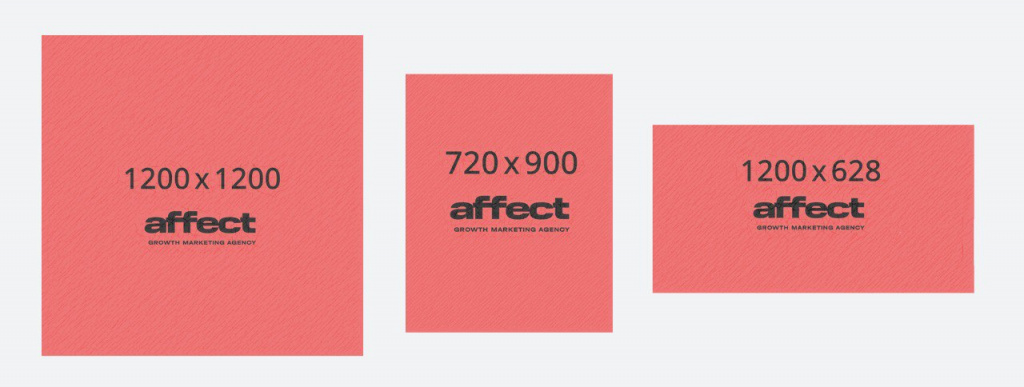
You can use vertical, horizontal, and square images. Below are the approximate aspect ratios for each option.
We recommend working only with square (1:1) and vertical images:
- Square images: help extend reach on desktop devices.
- Vertical images: the most effective for mobile delivery, where a significant share of impressions typically occurs (not shown on desktop).
Comparison on Mobile Devices
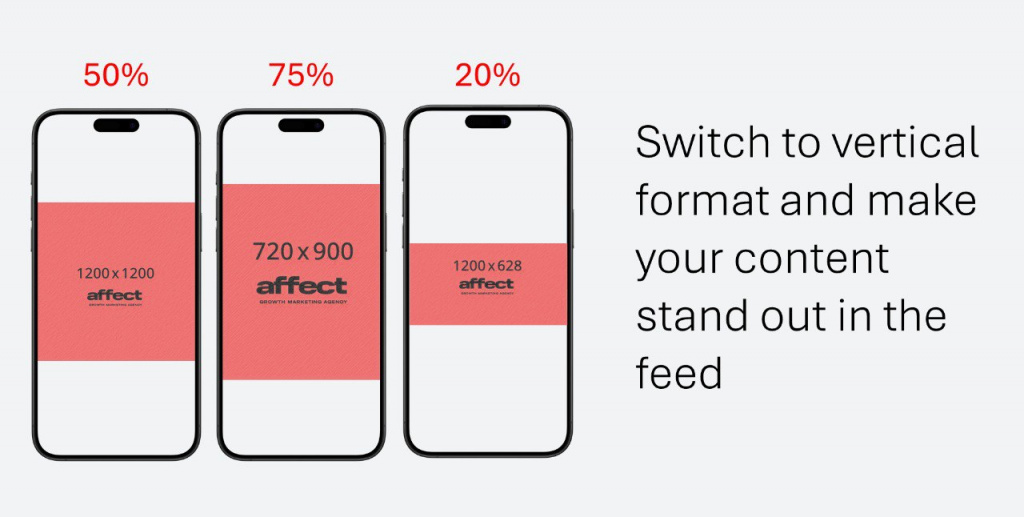
The diagram below illustrates how different image formats are displayed on mobile:
- Horizontal format: takes up only 20–25% of the mobile screen at peak visibility. Users may access the next content unit before fully engaging with your ad, leading to reduced attention and impact.
- Square format: occupies a significantly larger share of the screen, pushing adjacent content out of view.
- Vertical format: not only covers more space but also increases average contact time. With the same scroll speed, your ad (with snippet and header) remains in view longer.
Technical Requirements
LinkedIn does not limit the use of text on images. Requirements apply only to the file itself:
- File Types: jpg, png, gif
- Maximum File Size: 5 MB
Horizontal / Landscape
- Delivery: desktop & mobile
- Minimum: 640 × 360 px
- Maximum: 7680 × 4320 px
- Recommended: 1.91:1 — 1200 × 628 px
Square
- Delivery: recommended for both desktop & mobile
- Minimum: 360 × 360 px
- Maximum: 4320 × 4320 px
- Recommended: 1:1 — 1200 × 1200 px
Vertical
- Delivery: recommended for best CTR performance on mobile (not shown on desktop)
- Notes: 1:1.91 images are supported but get borders. Use 4:5 to avoid borders.
- Minimum: 360 × 640 px
- Maximum: 2430 × 4320 px
- Recommended:
- 1:1.91 — 628 × 1200 px
- 2:3 — 600 × 900 px
- 4:5 — 720 × 900 px